CutNesting Desktop
Optimize cuts. Keep your workshop organized.
Plan 1D cuts and 2D nests, track production, and reuse offcuts. Keep your jobs, customers and stock together on your computer.
$50USD
Launch price · Buy once
Try it free for 30 days before you buy.
Windows via Microsoft Store. No card or account required to start your trial.
₹4,000 for billing addresses in India. Two computers and one year of updates included.
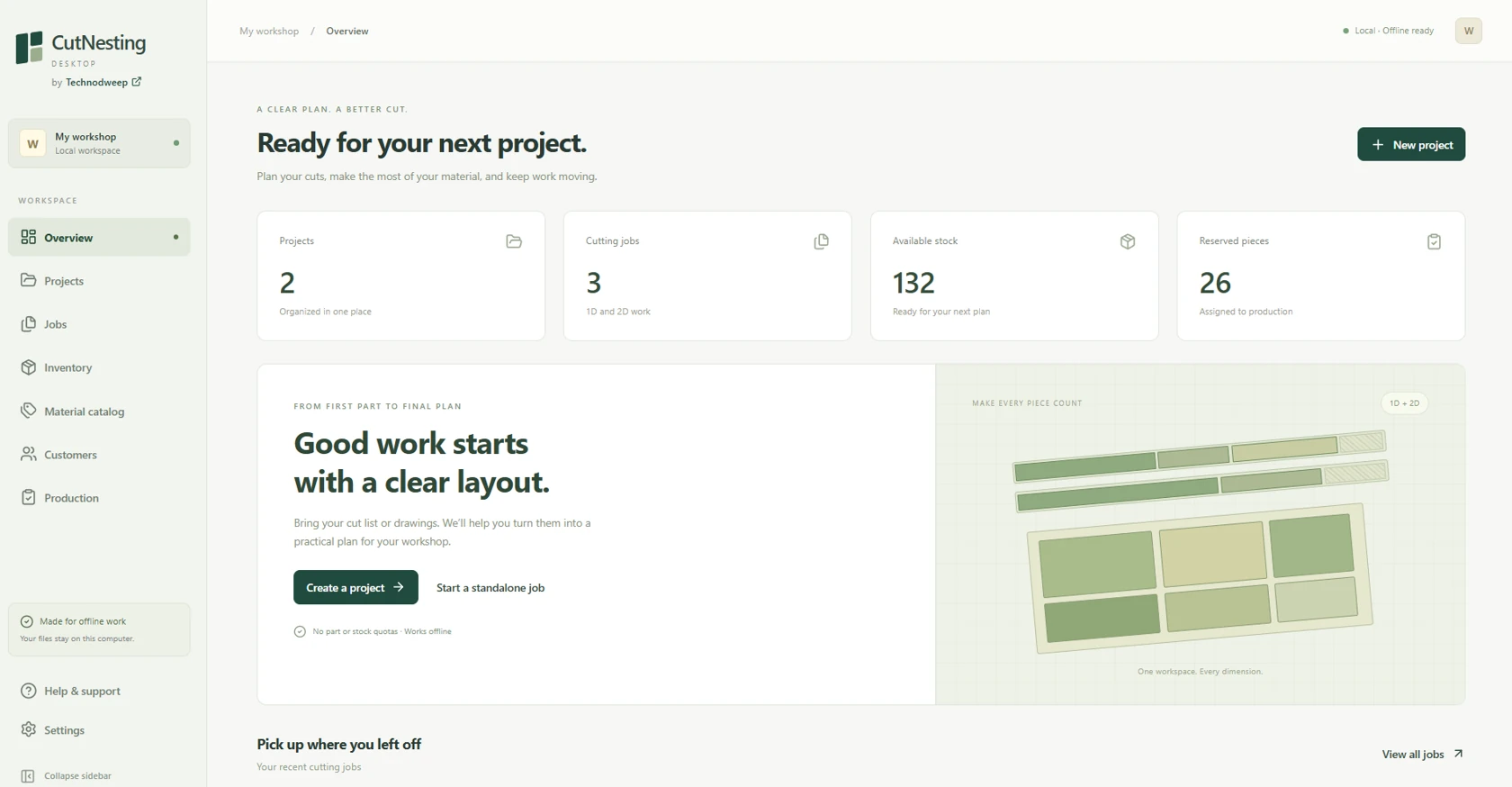
Take a one-minute look around
See projects, cutting jobs, stock reservations, saved offcuts and production records in the Desktop workspace.
Read the tour transcript
The workshop overview shows saved projects, cutting jobs and stock counts. Projects collect related customer jobs. A job can include linear cutting and sheet nesting tasks. Inventory lists material on hand, quantities reserved for production, and reusable pipe offcuts in a remnant store. Production records show reserved and completed bars and sheets, with actions to record cutting and add measured remnants. Start a 30-day free trial from this page.
Give usable offcuts a place in the next job
Plan and reserve
Optimize a job using compatible stock. Approve the plan and reserve physical material for production.
Record and measure
Record completed cutting, then confirm the actual dimensions of the remnants you want to keep in inventory.
Use inventory again
Use compatible saved stock when planning the next job. Check what is available and where it is stored before cutting more material.
See your workshop in one place
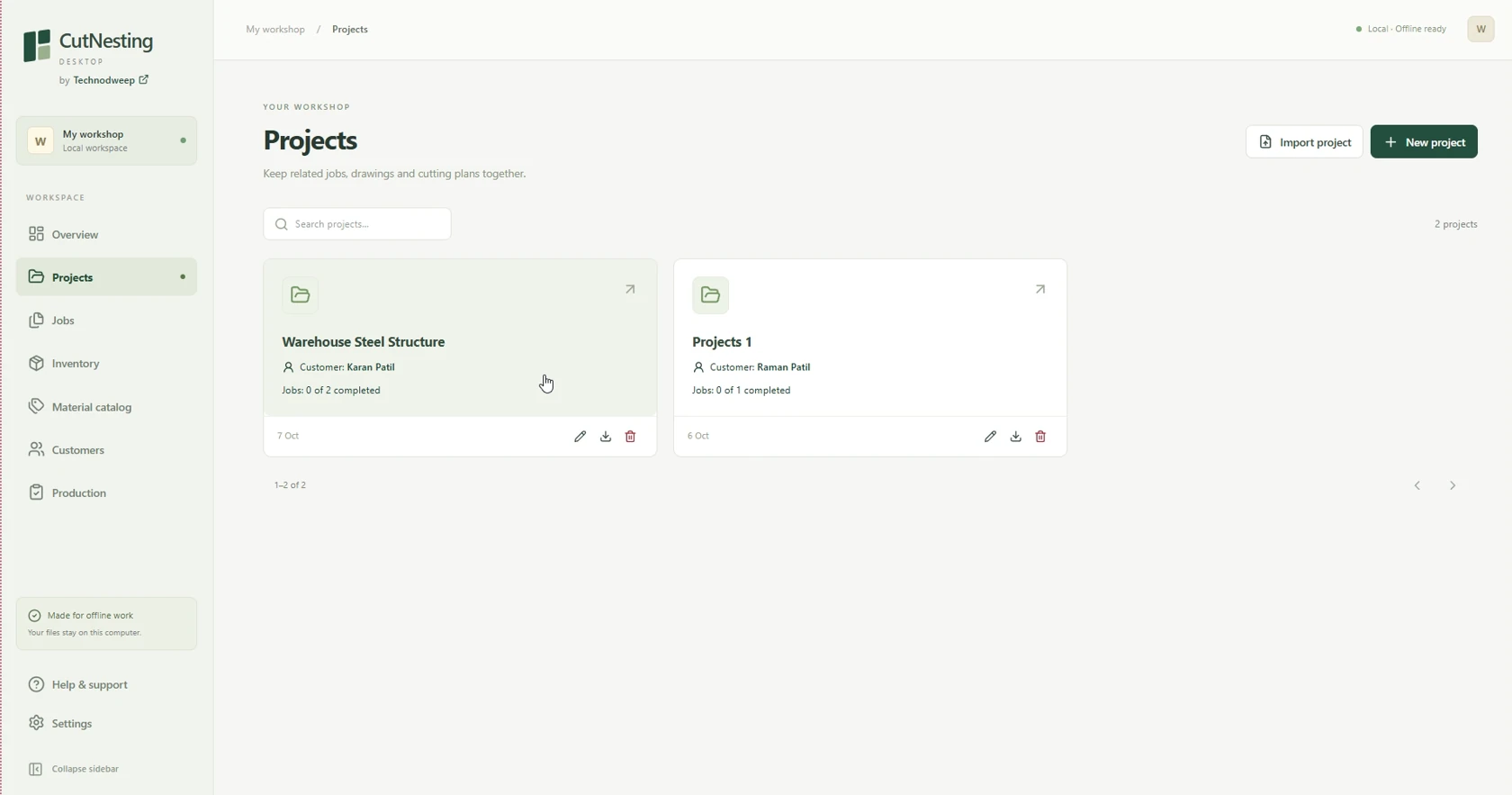
Projects
Keep related jobs together, with the customer attached to the project.
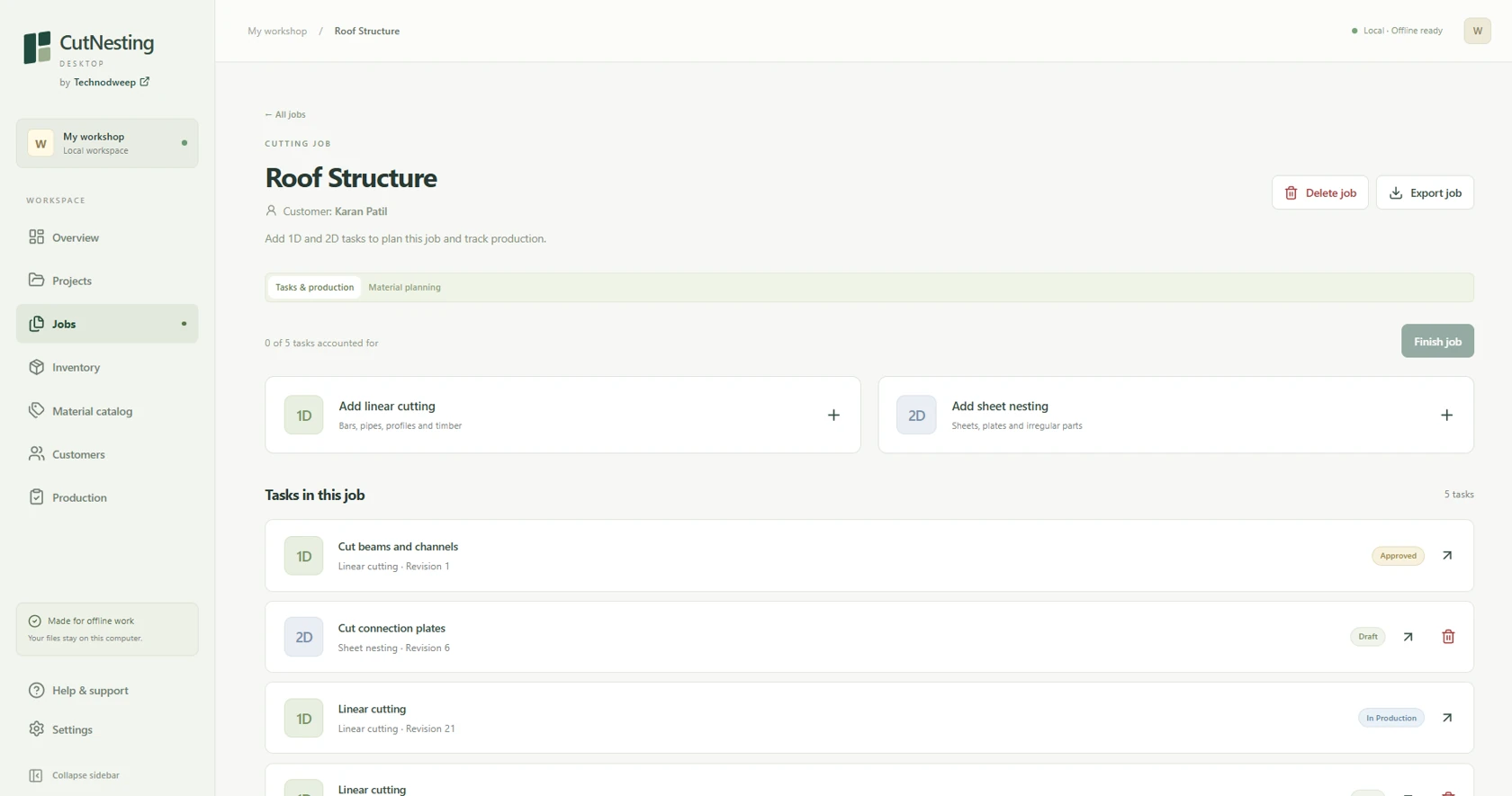
Jobs
Plan 1D cutting and 2D nesting tasks in the same job and see their production status.
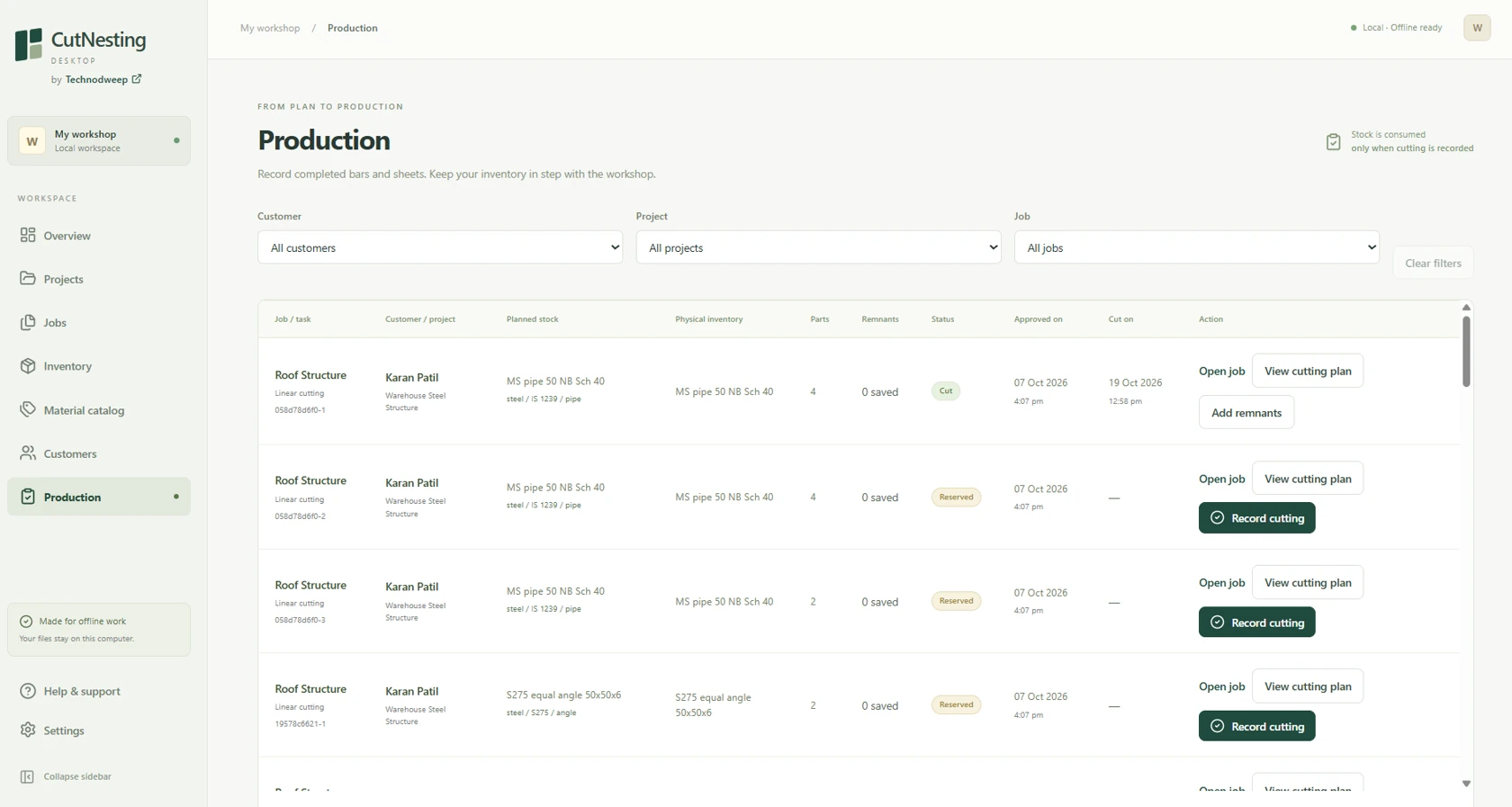
Production
Record completed cutting against reserved stock, then confirm the remnants to keep.
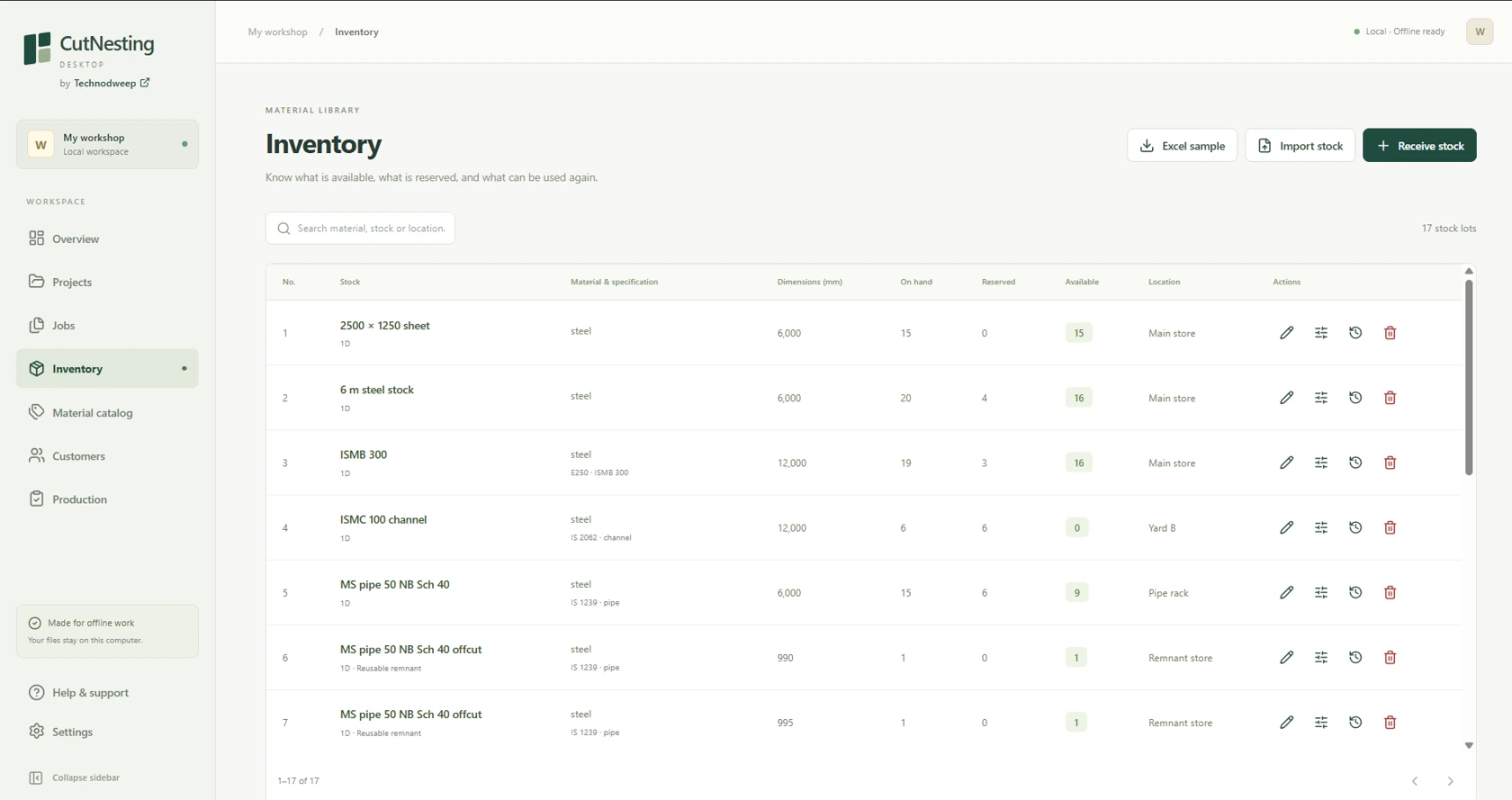
Inventory
See stock on hand, reserved quantities and reusable offcuts with their storage locations.
Screenshots show example workshop data. Select a screenshot to enlarge it.
Download CutNesting Desktop
Use CutNesting Desktop free for 30 days. Connect once to start the trial, then work offline. No card required.
$50 USD launch price · ₹4,000 in India
Buy once for 2 registered computers. One year of updates is included, with no automatic renewal.
Windows
Download for WindowsInstall via Microsoft Store, then open CutNesting to start your free trial.
Linux x86-64 (AMD64)
- Download AppImage
Make the file executable, then open it to run CutNesting.
- Download .deb
Install the Debian or Ubuntu package with your package manager.
Ready to buy? Buy a license
Already have a license? Manage your license
Your work stays accessible
After the trial ends, view and export saved jobs and cutting plans, and back up your database. Purchase to continue editing and optimizing. Eligible paid versions keep working offline indefinitely.
Computer registrations and updates
Removing a computer frees a registration slot. An already activated offline copy cannot be remotely disabled. Install a newer eligible version only after backing up your workshop database; older versions may not support a newer database.
The Privacy Policy and Terms and Conditions cover the website and Desktop app. Purchases and update renewals have a 14-day refund window, less applicable non-refundable payment fees where legally permitted.